Who can do what
Sarah's Portland manager shouldn't see Salem. Her booking page shouldn't be able to issue refunds. Here's how both work.
Sarah has a Portland manager who shouldn't see Salem's customers. She has a public booking page that needs to read available slots but must never be able to delete anything. And she has a nightly job that only sends emails.
Three different limits, and they come from two independent questions asked on every request:
- Which sites can this reach? Covered in Working with sites.
- What's it allowed to do there? This page.
Fail the first and you get a 403 about the site. Fail the second and you get a
403 naming the permission you were missing — which is genuinely useful, because it
tells you exactly what to add.
{
  "message": "You do not have permission to perform this action.",
  "required_permission": "clients.create"
}
Keys: pick the smallest set that works
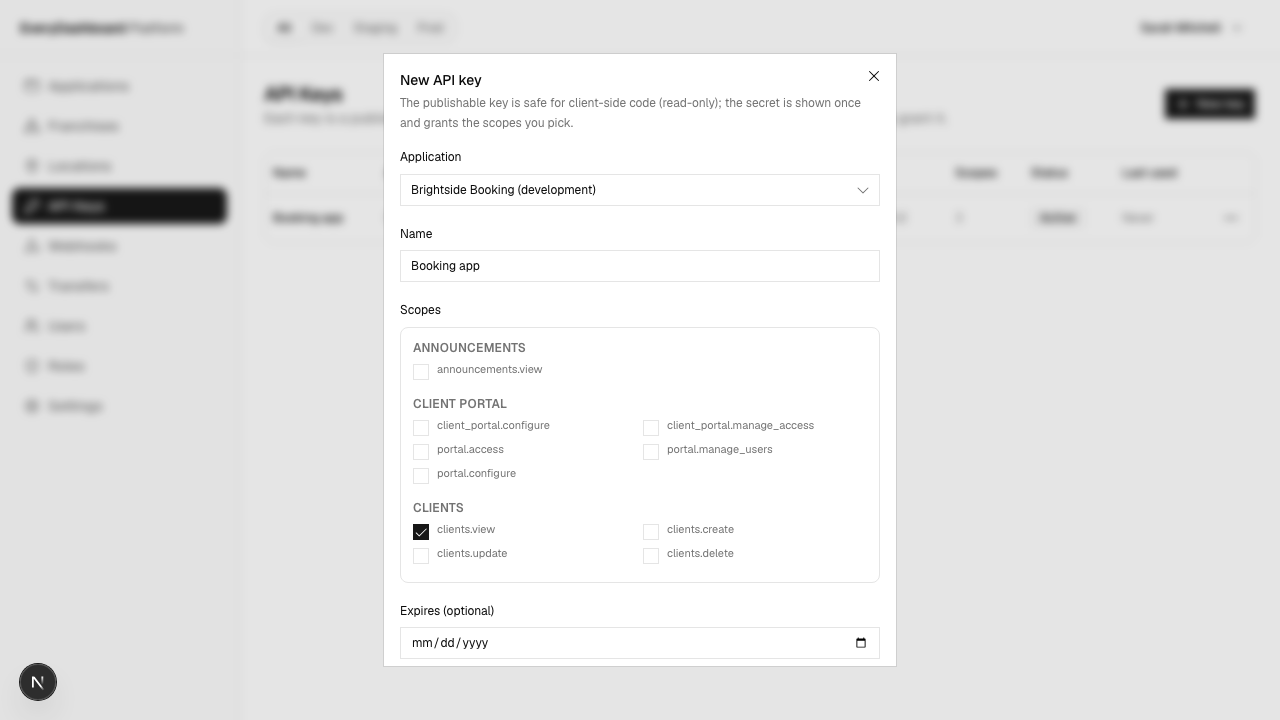
When Sarah creates a key she ticks what it may do. For her nightly reminder job that's
clients.view, schedules.view and notifications.create — read customers and
bookings, send notifications.
That key cannot create a customer, cancel a booking or touch an invoice. So if it ever leaks, the damage is bounded to what it was for.
The names read <module>.<action>, and you pick them from a list rather than typing
them — the dialog is generated from what the API will actually accept, so you can't
choose something that doesn't exist or miss something that does.
One key per job, not one key for everything
Sarah's booking page, her nightly job and her accountant's export each get their own key. Then revoking one doesn't take down the others, and a leak has a small blast radius. It costs nothing to make more.
Two keys, and only one is safe to publish
Every key you create comes as a pair.
The publishable key (pk_…) can go in code a browser downloads. It's
read-only, enforced on our side on every request — not by convention.
Even if Sarah granted the key clients.create, a pk_ presenting it cannot
create a customer. So the worst case for a published key is that someone can
read what you were already reading, never that they can write.
That makes it right for genuinely public reads — available slots on a booking page, a price list. For anything a signed-in person does, use their session instead: see Browser apps.
People: roles, not individual permissions
Sarah doesn't grant permissions to Dev directly. She gives him a role, and the role carries the permissions.
Three roles are ready when you sign up — Franchise Owner, Franchise Manager, Franchise Employee — and you can make your own.
A role mixes two kinds of permission:
- Running the business structure —
platform.locations.create,platform.api-keys.manage. Who can open a new site or issue a key. - Working inside a site —
clients.view,schedules.create. What they can do once they're in Portland.
Then Sarah makes an assignment: Dev gets the Manager role, over Oregon, with Portland selected. He sees Portland. Not Salem, even though Salem is also in Oregon, because she didn't select it.
Selecting no sites means no sites
Not "all of them". It reads backwards at first, but consider the alternative: when Sarah removes Dev's last site, an "empty means everything" rule would hand him the whole company. So empty means empty, and full access is a deliberate flag on Sarah's own account rather than something inferred.
Checking what you've got
| Question | Where |
|---|---|
| What can I grant a key? | The scope picker, when you create or edit a key |
| What can a member of staff do? | Their row on the Users page, and their role on Roles |
| What can this signed-in user do? | GET /api/permissions/me |
That last one is an API call because your app needs it at runtime — it's how you hide buttons a signed-in person can't use. The other two are things you look at while setting things up.
Some worked examples
| Sarah wants | She creates |
|---|---|
| A public booking page | A pk_ key with services.view, schedules.view |
| A nightly reminder job | An sk_ key with clients.view, schedules.view, notifications.create |
| Her accountant's monthly export | An sk_ key with payments.view, granted Oregon, expiring in 90 days |
| A Portland manager | The Manager role, assigned to Oregon with Portland selected |
| A cleaner who checks their own schedule | The Employee role, one site |