Getting told when things happen
A customer books at 11pm. Your system knows a second later, without asking every minute.
Sarah wants a text when someone books a same-day clean, so she can tell a crew. She could ask us every minute whether anything's changed. That's a lot of asking for not much news.
Instead she gives us a URL. When someone books, we post the details to it.
These are webhooks: you tell us where to send things and which things you care about, and we deliver them as they happen.
Setting one up
Give us a URL
Webhooks → New endpoint. The endpoint belongs to your app, so one URL covers every site under it — Portland, Salem, and anything Sarah opens later.
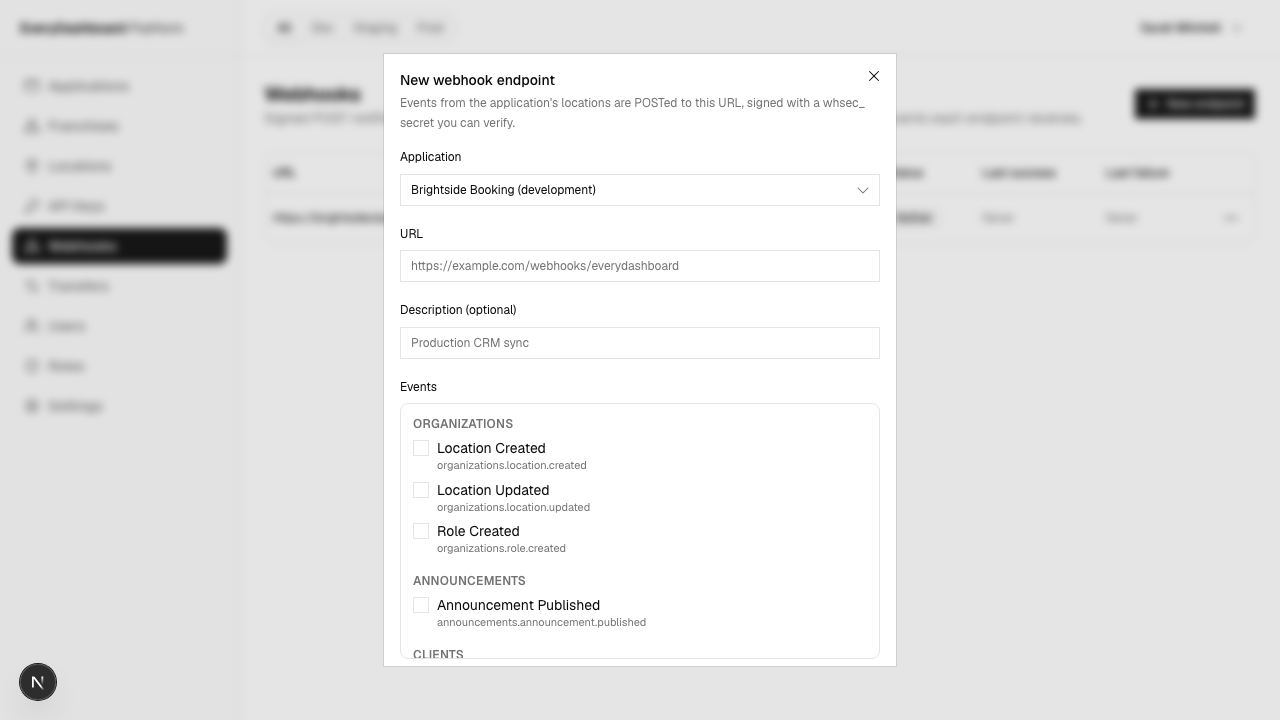
You get a signing secret starting whsec_. Keep it — your code needs it to check that
deliveries are really from us.
Live apps must use https://.
Narrow it to some sites, if you want
By default the endpoint hears about every site in the app. Add a site filter to narrow it.
Worth noticing that this is the opposite default from API keys, which start with access to nothing. Hearing about all your own sites is the common case; a key that could reach everything by default would be a hazard.
Check it's really us, then say thanks quickly
Anyone can post to a public URL. Check the signature before you believe it, reply 2xx
straight away, and do the actual work afterwards.
app.post('/hooks/hyphabase', express.raw({ type: 'application/json' }), (req, res) => {
  if (!verify(process.env.WEBHOOK_SECRET, req.body, req.header('HyphaBase-Signature'))) {
    return res.sendStatus(400);
  }

  res.sendStatus(200);
  enqueue(JSON.parse(req.body.toString()));
});
You have 30 seconds, but treat that as a limit rather than a budget — see Checking it's really us.
What arrives
{
  "id": "evt_9f2c4a1e8b7d4e2f9a3b5c6d7e8f9a0b",
  "type": "clients.client.created",
  "created": "2026-08-06T12:00:00+00:00",
  "api_version": "2026-08-01",
  "location_id": "019aff48-a982-70b4-9be8-57eb265122d7",
  "environment_id": "019fb07b-1647-736a-a8d2-3187b34c3f80",
  "data": {
    "object": { "id": "019b01…", "first_name": "Dana", "email": "dana@example.com" }
  }
}| Field | What it's for |
|---|---|
id | Unique per event. Use it to spot a repeat. |
type | What happened. |
created | When it happened — not when it was delivered. |
location_id | Which of your sites. Portland or Salem. null for test events. |
data.object | The whole thing that changed. |
Because data.object is the full record, you usually don't need to call back and ask
for it. It is a snapshot from the moment it happened, though — if deliveries retry out
of order, the newest event isn't necessarily the newest state. When you need certainty,
re-read the record.
Managing endpoints
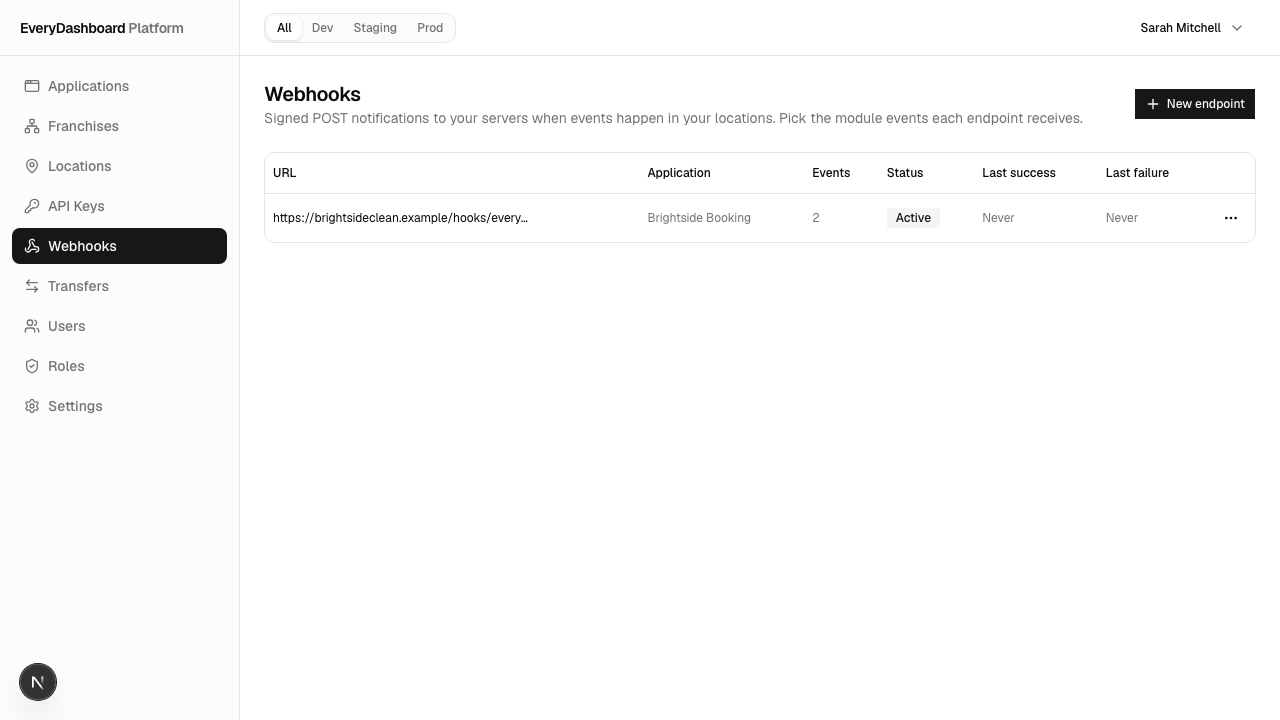
All from the Webhooks page:
| You want to | Do this |
|---|---|
| Change which events you get | Edit the endpoint and re-tick |
| Look up the signing secret | Reveal secret on the endpoint |
| Change the secret | Rotate secret |
| Prove your receiver works | Send test event |
| See what we tried to deliver | Deliveries — every attempt, with the response |
| Retry a failed delivery | Retry on that attempt |
| Pause or resume | Disable / Enable |
Unlike an API key secret, the signing secret can be looked up again whenever you want. It has to be — checking a signature needs the real secret, so we can't store only a hash of it.
Try it before you trust it
Send test event on the endpoint. It goes through exactly the same signing and delivery
path, with a marker object and a null site — so if a test event verifies, a real one
will.
Next
Plans and billing
Sandbox is free and has small limits. Production is $29 a month, paid through Stripe, and the switch only happens once the payment does.
Checking it's really us
Your webhook URL is public, so anyone can post to it. Here's how to tell the difference, and the mistake everyone makes first.