Make a group
Somewhere for sites to live. One form, and if you only have one site you can forget about it afterwards.
Every site belongs to a group. Each environment comes with a default one, so Sarah could add Portland straight away — this page is for when she wants groups of her own. She calls hers Oregon.
The dashboard calls this a Franchise. It's a bad name — read it as "a folder of places". Sarah isn't franchising anything.
Franchises → Root franchise
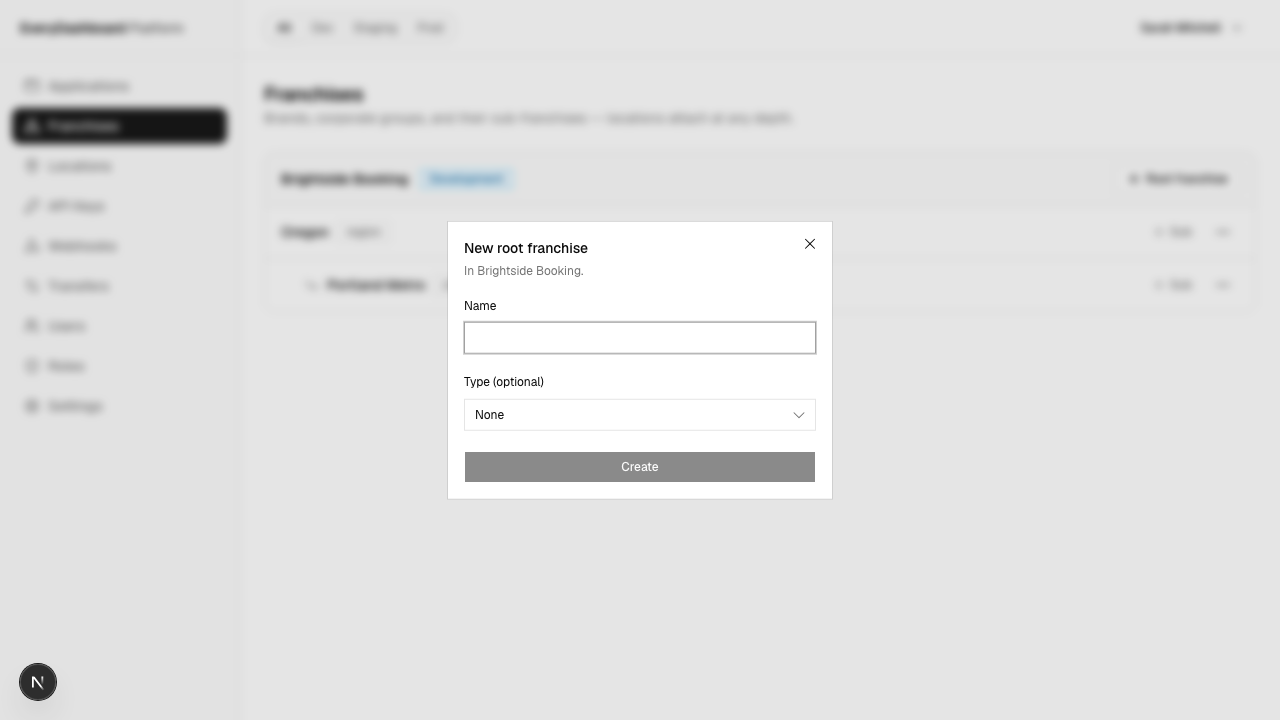
| Field | What to put |
|---|---|
| Name | Oregon. For humans. |
| Type | Optional free text — region, brand, owner. Yours to define; nothing depends on it. |
That's enough to carry on to step 4.
Only ever going to have one site?
Name the group after your company, put your site in it, and never think about it again. One extra form during setup, and then it's invisible.
Nesting, when you need it
Each group has an Add sub action, so groups go inside groups as deep as you like.
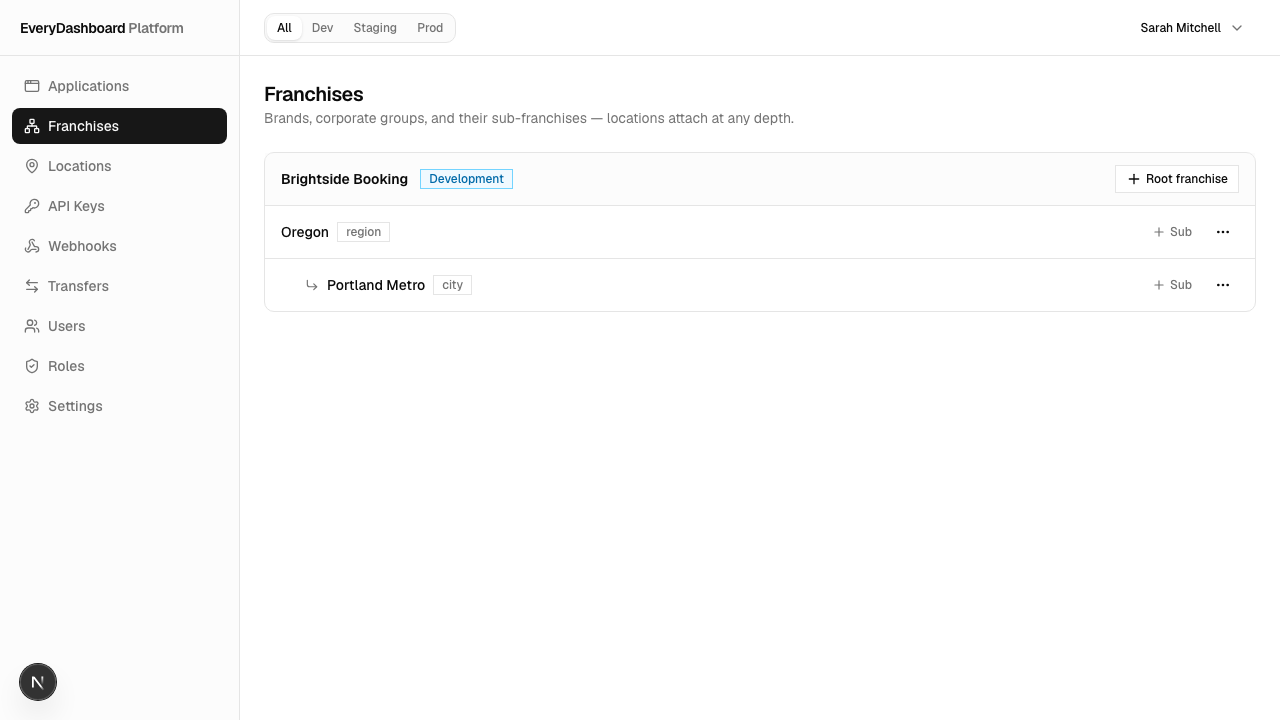
There's no separate "sub-group" thing — a group inside a group is just a group with a parent.
What to actually put here
Groups exist for handing out access, not tidiness. Granting anything over a group grants it over everything inside:
- Sarah's Portland manager gets Portland only.
- Her regional manager gets Oregon, and sees both sites — plus Eugene when she opens it, without anyone revisiting his permissions.
So the useful question isn't "how is the business organised on paper". It's "what are the sets of places I'd want to hand someone the keys to?" If you'd never grant access at a level, that level doesn't need to exist.
Grouping has no effect on data. Portland and Salem don't share customers whatever the tree looks like.
Other business shapes has four worked examples if yours is more complicated than Sarah's.