Make an app
The thing you're building, plus its first environment — that's what gets you test keys.
Sarah's building a booking app. This is where it gets registered.
An app owns everything below it — the environments, the groups, the sites, the keys
that reach in, the notifications that go out. Sarah will end up with one app and two
environments: dev to build against, prod for real customers.
Applications → New application
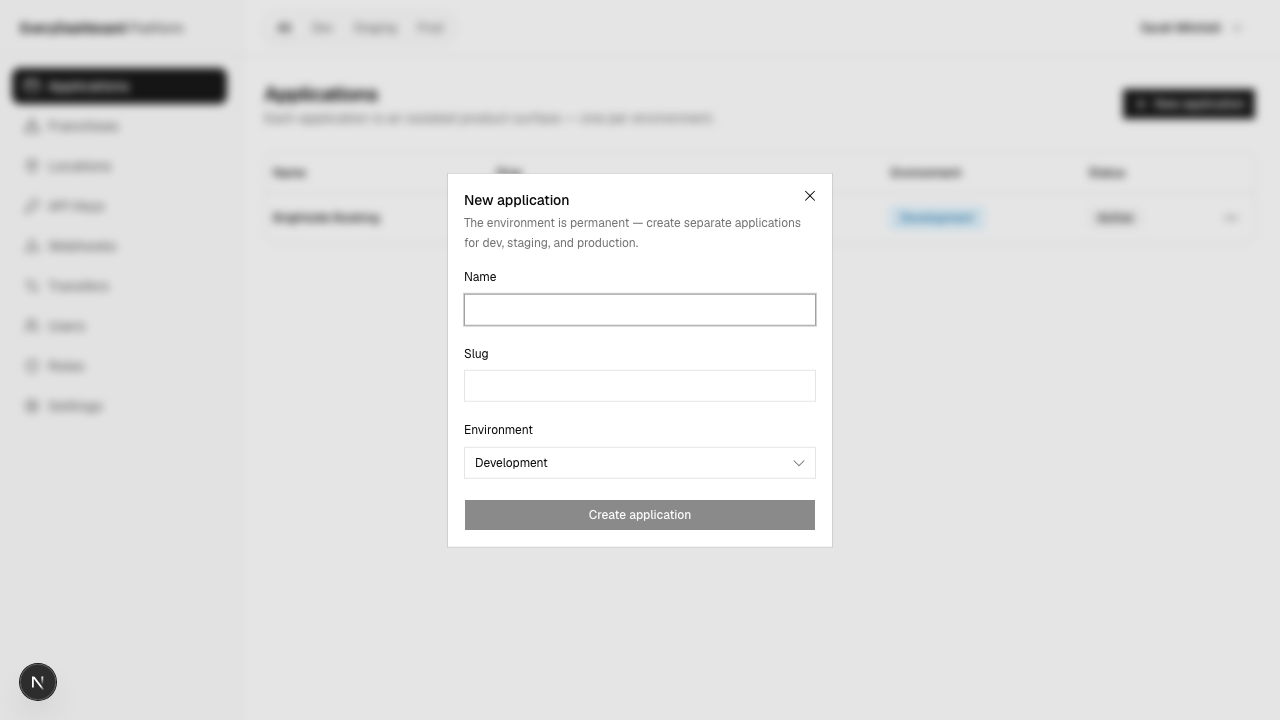
| Field | What to put |
|---|---|
| Name | Brightside Booking. For humans. |
| Slug | brightside-booking. Unique across every company on the platform, so common words are taken — prefix it with yours. |
Two things happen quietly that are worth knowing about.
The app is pinned to today's API version. It stays there as we ship changes, which is what stops Sarah's app breaking while she isn't looking. Every environment shares the pin. See Versions and changes.
Industry language lives here. Renaming "client" to "patient" (or whatever your world calls people) is set once on the app and inherited by every environment and site.
Then make an environment
A fresh app is just a shell — no database, no keys to issue. The app page tells you so and offers the next step.

| Field | What to put |
|---|---|
| Name | Development. Call it what your team calls it. |
| Slug | dev. Permanent — it names the environment's database. |
| Production | Leave it off, for now. |
Leave production off, or you get live keys
The production flag decides your key prefixes: off gives sk_test_…, on gives
sk_live_…. You can flip it later, but doing so disables the environment's
existing keys — each has to be rotated to get honest prefixes back. So the one
place to be careful on this form is that checkbox.
Creating the environment provisions its own database; it's briefly "provisioning"
before it reads ready.
How many environments?
One app per product; under it, an environment per estate. Sarah has:
Brightside Cleaning
└── Brightside Booking
    ├── dev     → sk_test_…
    └── prod    → sk_live_…
Everything under an environment is separate — groups, sites, keys, notifications — so there's no path by which a test booking touches a real customer. Environments has the reasoning.